Here is the practical version of how video management should work
- Use video CMS for delivery and control. It should handle metadata, playback, captions, permissions, and distribution, not just storage.
- Keep the master asset in DAM. That is usually the better home for source files, versions, approvals, and broader brand assets.
- Demand clean metadata and search. If people cannot find the right clip in seconds, the system will not be used.
- Check integrations early. The best platform usually wins on API access, automation, and fit with your existing stack.
- Do not treat accessibility as an add-on. Captions, transcripts, and localisation should be part of the workflow from day one.
What a video library layer actually does
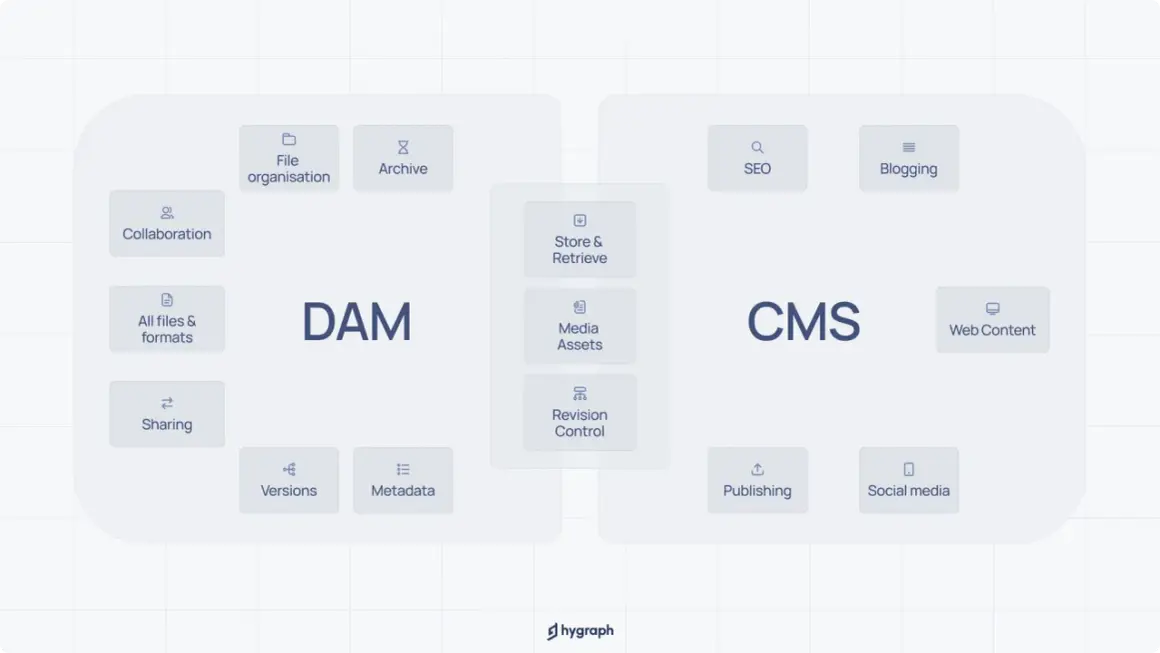
When I evaluate video systems, I start with a simple question: is this just a place to host files, or is it a working layer for production and distribution? A video management system is built for the second job. It helps teams ingest footage, add metadata, create renditions, control access, publish to different channels, and track how assets are used. That is where the distinction matters. A general CMS is good at publishing pages and posts. A DAM is good at storing and governing digital assets across the business. Video sits between those two because it needs both: the governance of a DAM and the delivery logic of a publishing tool. In practice, that means your system has to understand things like captions, codecs, aspect ratios, expiration rules, and playback permissions.| System | Best at | Where it usually falls short | Use it when |
|---|---|---|---|
| DAM | Master assets, versioning, rights management, brand governance | Not always built for video playback and channel delivery | You need one source of truth for all media types |
| Video CMS | Encoding, playback, captions, distribution, video analytics | Often narrower than a full DAM for cross-media governance | Video is a productised asset that must be published and reused |
| General CMS | Web pages, blogs, and site editing | Weak for large media libraries and advanced asset workflows | Video mainly supports page content rather than acts as the content library |
My rule of thumb is blunt: if the asset needs to be discovered, versioned, approved, and pushed to more than one destination, you are already beyond basic file hosting. That is the point where the feature set starts to matter, which brings me to the capabilities that separate a decent tool from an expensive disappointment.
Features that actually earn their keep
Vendors love to lead with the player. I look past that quickly. The parts that save time are the parts hidden under the surface, especially when teams are handling a growing library rather than a handful of showcase clips.
- Structured metadata. Title, speaker, series, campaign, rights window, language, and audience segment should be customisable. If the schema is rigid, the search experience will age badly.
- Bulk ingest and transcoding. A serious system should accept master files and automatically create the formats you need for web, mobile, or internal playback. This removes repetitive manual work and reduces mistakes.
- Search that reflects how people think. People rarely remember exact filenames. They search by topic, speaker, customer, date, or campaign. Fielded search and good tagging matter more than a flashy thumbnail grid.
- Permissions and expiry controls. Video often has shorter rights windows than other assets. Role-based access, expiring links, watermarking, and download restrictions are not optional in many teams.
- Captions and transcripts. These help with accessibility, but they also improve scanability, SEO for embedded assets, and content reuse inside other channels.
- APIs and webhooks. If a platform cannot connect cleanly to your DAM, website, learning system, or automation stack, people end up moving files by hand. That is where governance starts to collapse.
- Analytics that are useful. Views are only the start. Completion rate, drop-off points, and reuse patterns tell you whether content is working or simply being stored.
If a demo highlights none of those things and spends most of its time on the player skin, I become cautious. The outer layer is the least interesting part. The internal workflow is what determines whether the system will still be useful in two years. That leads naturally to how the video layer should sit inside the wider asset stack.
How it should sit inside your DAM workflow
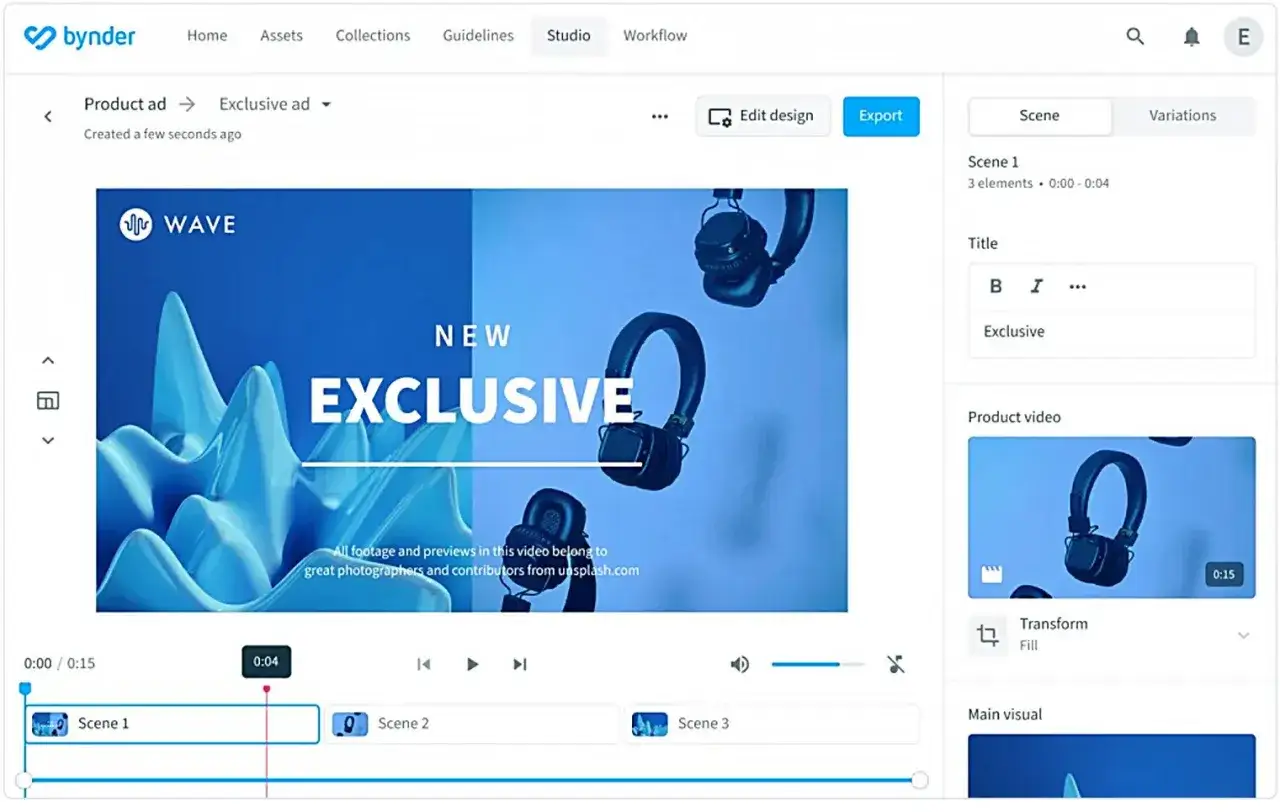
The cleanest setup is usually not “DAM versus video CMS”; it is a division of labour. In most organisations, I prefer the DAM to hold the master source, related artwork, transcripts, release forms, and any non-video files that belong to the campaign or library. The video layer then handles renditioning, playback, distribution, and the more video-specific controls.
That split gives you a clearer chain of custody. A simple workflow often looks like this:
- Ingest the master file and supporting documents into the DAM.
- Tag the asset with agreed metadata before anything is published.
- Push the video into the playback and distribution layer, which creates the required renditions.
- Add captions, subtitles, or language versions before release.
- Publish to the website, intranet, LMS, or partner portal from the system that owns delivery.
- Keep the original, approved version locked down so future edits do not create version drift.
This arrangement is especially helpful when teams work across marketing, sales, and training. Each group wants a different surface area, but they should not each build their own copy of the same video file. If that happens, you lose version control fast, and nobody can tell which clip is current, approved, or expired.
How to choose the right platform for your team
Choosing well is less about feature count and more about fit. I would rather see six features used well than twenty features no one touches. The best shortlist usually comes from being honest about scale, ownership, and publishing patterns before anyone sits through a sales demo.
| Question to ask | What a good answer looks like | Red flag |
|---|---|---|
| Who owns publishing? | A clear role model with approvals and fallback permissions | Everyone can upload, edit, and publish everything |
| How often will videos be reused? | Reusable assets, playlists, or snippets are easy to create | Every use case requires a fresh upload |
| Do you need multiple destinations? | Web, intranet, LMS, sales portals, or partner spaces are supported without workarounds | The platform only works well in one channel |
| Can metadata be adapted? | You can build fields around your business, not the vendor’s assumptions | You are forced into generic tags that do not match your workflow |
| How strong is the API? | Media data is accessible quickly for automation and publishing | Integrations rely on fragile manual exports |
| How does cost scale? | Pricing is predictable as usage, storage, or seats grow | The contract becomes hard to forecast once the library expands |
In practical terms, I also ask whether the platform can absorb your messiest month, not just your cleanest one. If your team uploads in bursts after events, product launches, or quarterly training cycles, the system needs to handle volume spikes without turning into a bottleneck. That is where automation and support matter as much as raw features.
UK requirements that can change the shortlist
For UK teams, I would not buy a video system without checking accessibility and governance first. Captions and transcripts are not nice extras when video carries spoken information; they are core accessibility features, and they also improve search and comprehension for everyone else.
The other issue is data handling. Not every organisation needs UK-only hosting, but every organisation should know where personal data, upload logs, and user analytics are processed. If the library contains staff footage, customer material, or training recordings with identifiable people, you need a clear retention policy and a defensible access model. In regulated or public-sector environments, those questions move from “helpful” to “mandatory”.- Captions should be part of ingest, not a last-minute task. If they are bolted on after approval, they are more likely to be delayed or skipped.
- Transcripts help more than accessibility alone. They support search, content reuse, and easier review.
- Consent and rights windows need visible tracking. If a clip includes people, music, or third-party material, the expiry date should be easy to find.
- Local language versions matter. Even when the base content is English, UK teams often need variants for tone, terminology, or regional usage.
My experience is that teams underestimate these requirements until the library is already large. Once that happens, retrofitting captions, permissions, and retention rules becomes far more painful than building them in from the start. That is why the rollout plan matters as much as the platform itself.
Rollout mistakes that create a messy library fast
Most failures are not technical. They are operational. A strong platform can still become chaotic if the team never agrees on naming, metadata, ownership, or lifecycle rules.
- Starting without a metadata standard. If each department tags videos differently, search quality drops quickly.
- Letting the platform do everything. A video layer is not a substitute for proper DAM governance, and a DAM is not a full playback engine.
- Ignoring onboarding. If contributors do not understand how to upload, tag, approve, and retire assets, the system will reflect their confusion.
- Measuring only views. Views tell you almost nothing about usefulness. Completion, reuse, and search success are more revealing.
- Leaving old assets alive forever. Stale clips create compliance risk and confuse users who cannot tell what is current.
- Skipping a pilot. A controlled rollout with one team usually exposes the real problems before they spread across the whole organisation.
When I see a library fail, it is usually because the business treated the tool as a destination instead of a workflow. The system is only as good as the rules around it, which is why the last thing I check is what happens after launch.
What keeps a video library useful after launch
Once the platform is live, I watch a small set of signals. If those stay healthy, the library usually remains usable. If they deteriorate, the team starts falling back to shared drives, email attachments, and duplicate uploads.
The most useful measures are straightforward: how long it takes to publish a new asset, how often people find the right clip on the first search, how many videos have complete metadata, and how many assets are being reused instead of re-created. For training content, completion rate is also worth tracking because it tells you whether the file is merely available or actually being consumed.
If I had to reduce the whole decision to one sentence, it would be this: buy the system that makes good media habits easier to repeat. A video library becomes valuable when it is searchable, governed, accessible, and easy to publish from, not when it simply stores a lot of footage. If your team can keep that discipline, the platform will repay the effort quickly; if not, even the best tool will turn into a cluttered archive.